Hardware & Networking
Office Network Setup in Mumbai: A Practical Guide
Affix Center · · 6 min read
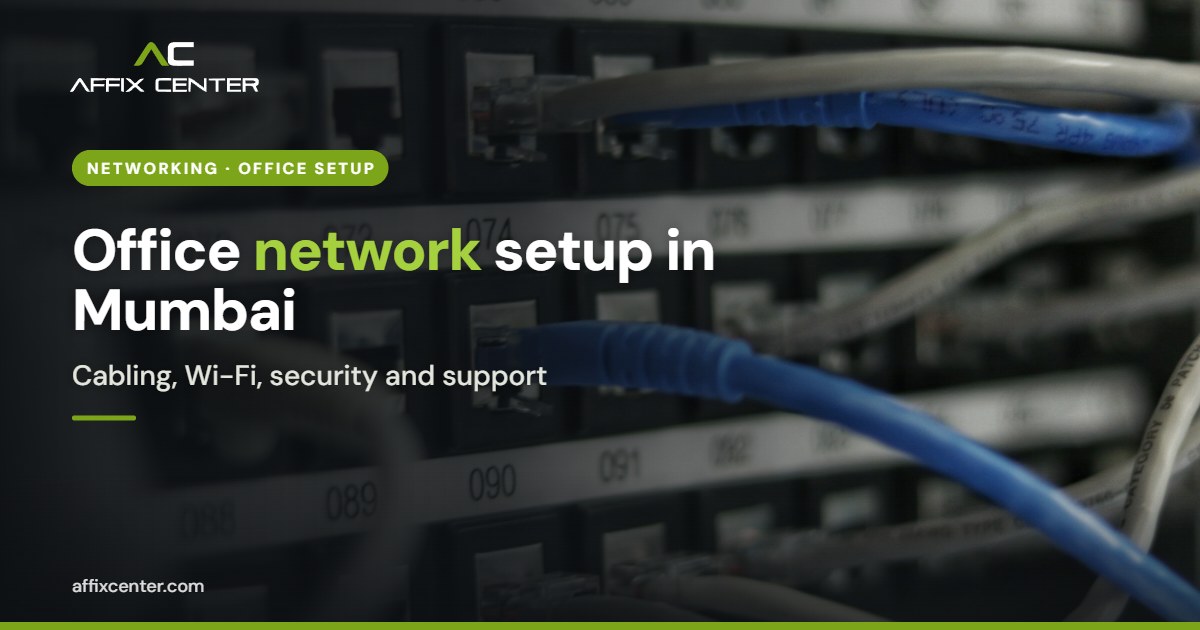
Most office network problems in Mumbai look small at first. Video calls freeze in the conference room. Wi-Fi drops near the pantry. The printer disappears from the network every other day. Then the only internet line goes down during a client presentation and nobody knows who to call. A proper office network setup Mumbai businesses can rely on prevents these issues through planning rather than repeated fixes.
Offices here face particular conditions: compact floor plates in commercial towers, dense Wi-Fi interference from neighbouring offices, power fluctuations, monsoon related outages and frequent moves between premises in areas such as BKC, Andheri, Lower Parel and Thane. This guide explains how to plan, build, secure and maintain a network that suits these realities.
Plan Before You Buy Any Equipment
Start with how your team works, not with a list of devices. Answer these questions first:
- How many staff, and how many devices each (laptop, phone, tablet)?
- Do you use cloud applications, on premise servers, or both?
- How much video calling and file transfer happens daily?
- Do you need separate networks for guests, CCTV, printers or IoT devices?
- What is the expected headcount growth over the next two to three years?
- Is the space owned or leased, and what does the landlord allow for cabling and rack placement?
Draw a simple floor plan marking desks, meeting rooms, printers, cameras and the server or network rack. This becomes the basis for cabling, access point placement and budgeting.
Structured Cabling: Get the Foundation Right
Wi-Fi gets the attention, but cabling decides whether the network is stable for years. In an office network setup Mumbai companies expect to last through a lease, cabling is the part that is hardest to redo later.
- Use certified Cat6 or Cat6A cabling for desks, access points and cameras, and label both ends of every cable.
- Keep a patch panel and rack in a ventilated, lockable space, not in a storeroom next to cleaning supplies.
- Run cables in proper conduits or trays, separated from electrical lines to reduce interference.
- Add spare points in meeting rooms and open areas for future needs.
- Test and document. Ask for a cable test report and an updated layout drawing at handover.
In older buildings, check for moisture near shafts and false ceilings. Monsoon leakage onto network equipment is a common cause of sudden failures.
Wi-Fi That Works in Crowded Buildings
Commercial towers in Mumbai often have dozens of competing wireless networks on each floor. A single consumer router in the corner will not cope.
Use business grade access points
Choose ceiling mounted access points managed from one controller or cloud dashboard. Place them based on a site survey rather than guesswork, with more coverage in meeting rooms and dense seating areas.
Plan channels and bands
Prefer the 5 GHz band for staff devices because it is less crowded. Set channels and power levels to limit interference between your own access points. Wi-Fi 6 capable equipment handles many devices better and is a sensible baseline for new setups.
Separate networks
Create separate wireless networks, backed by separate VLANs, for staff, guests and devices such as CCTV and smart TVs. Guests should never reach your file server or printers.
Internet, Power and Redundancy
For most offices, the internet line is now the most critical part of the network.
- Use two internet connections from different providers, ideally entering the building by different routes, so one fibre cut does not stop work.
- Use a firewall or router that supports automatic failover and load balancing between the two lines.
- Consider a leased line for offices that depend heavily on cloud applications or voice calls, and a broadband line as backup.
- Put all network gear on UPS. Switches, firewall, access points and the internet provider's equipment should stay up during short power cuts and switchovers to generator power.
- Use surge protection and proper earthing. Poor earthing damages equipment slowly and causes random faults.
Network Security Essentials
A network that works but is not secure is a liability. Build security in from the first day:
- Next generation firewall with web filtering, intrusion prevention and regular firmware updates.
- Strong Wi-Fi security using WPA2 Enterprise or WPA3 where devices support it, and no shared passwords written on whiteboards.
- VPN for remote access with multi factor authentication, instead of opening ports on the router.
- Change all default passwords on routers, switches, cameras and printers.
- Keep logs. The CERT-In Directions of April 2022 require organisations to maintain logs of their ICT systems for 180 days. Make sure your firewall and key systems keep logs and that someone knows how to retrieve them.
- Back up device configurations so a failed firewall or switch can be replaced quickly.
For a deeper review of firewalls, endpoint protection and monitoring, see our cybersecurity services.
Documentation, Monitoring and Support
Many offices lose control of their network because the person who set it up has left and nothing was written down. Avoid this with:
- A network diagram showing internet lines, firewall, switches, access points and VLANs
- An inventory of devices with serial numbers, warranty dates and admin credentials stored in a password manager
- Monitoring that alerts when an internet line, switch or access point goes down
- A clear support contract with response times, especially if you run shifts or work on weekends
- A yearly review to plan upgrades before equipment goes out of support
Our IT operations and support team can take over monitoring, helpdesk and annual maintenance so your staff can focus on their work.
Office Network Setup in Mumbai: Checklist for an Office Move
Office moves are common in the city, and the network is often the last item on the list. Start early:
- Order new internet lines at least a few weeks before the move, since provider installation times vary by building.
- Check with building management about fibre entry points, riser access and rules for work in shared areas.
- Agree cabling and rack locations with the interior contractor before false ceilings and partitions close.
- Label and photograph existing equipment before shifting, and back up every configuration.
- Test internet, Wi-Fi, printers, phones and remote access over a weekend before staff arrive.
Frequently Asked Questions
How long does an office network setup take?
It depends on office size, cabling work and equipment lead times. A small office can often be set up in days, while larger floors with new cabling take longer and should be planned around fit out schedules.
Do we need two internet connections?
If downtime affects sales, client calls or operations, yes. Two lines from different providers with automatic failover is a simple way to reduce outages.
Is a consumer Wi-Fi router enough for a small office?
For more than a handful of users, business grade access points are better. They support more devices, central management, guest isolation and stronger security.
What does an office network setup cost in Mumbai?
Cost depends on the number of users, floor area, cabling needs, equipment brand, internet plans and support model. Get a site survey before comparing quotes.
How Affix Center Can Help
We help businesses in Mumbai, Thane and Navi Mumbai build an office network setup Mumbai teams can rely on, covering everything from site surveys and structured cabling to Wi-Fi design, firewall configuration, internet failover and ongoing support.
If you are moving office, expanding or fixing an unreliable network, contact our team to schedule an assessment.