IT Operations
Remote IT Support for Businesses: Tools and SLAs
Affix Center · · 6 min read
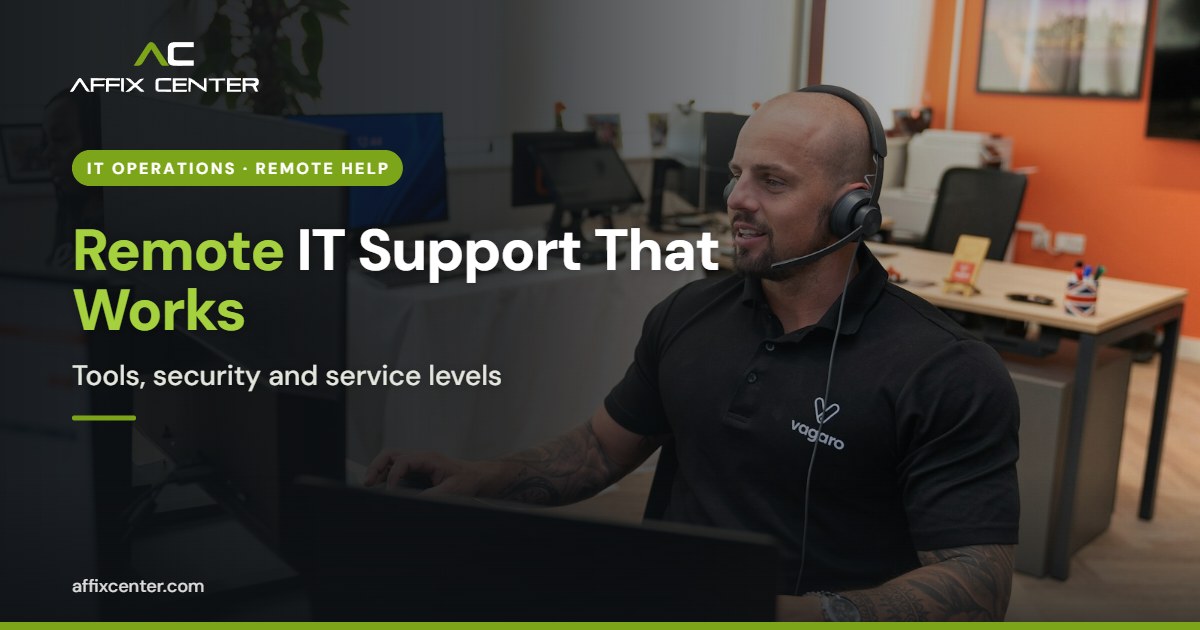
When a printer stops working in your Andheri office or an accountant in Pune cannot open the ERP, waiting half a day for a technician to arrive is no longer acceptable. Remote IT support for businesses solves most everyday problems in minutes: a support engineer connects to the user's machine, sees the issue and fixes it while the user watches.
The catch is that remote support is also a remote door into your systems. The same tools that let your IT partner fix a laptop can let an attacker take control of it if they are poorly chosen or loosely managed. This guide explains how to set up remote support that is fast, secure and measured against clear service levels.
What Remote IT Support for Businesses Covers
A well-run remote support desk can resolve a large share of user issues without a site visit. Typical examples include:
- Password resets, account lockouts and multi-factor enrolment.
- Email, Microsoft 365 or Google Workspace configuration problems.
- Software installation, updates and licence activation.
- Printer drivers, mapped drives and VPN connection issues.
- Slow performance, disk space and basic malware clean-up.
- Server monitoring, patching and backup checks.
Some work still needs hands on site: hardware failures, cabling, network switch replacement, new workstation setup and anything involving physical access. Good support models combine both, with remote first and a clear rule for when to dispatch an engineer. Our IT operations services are built around this remote-first, visit-when-needed approach.
Choosing Remote Support Tools
There are several kinds of tools, and most businesses need more than one:
Attended remote access
The user starts a session and shares a code with the support engineer. The user can see everything on screen. This suits ad hoc help for staff.
Unattended access and RMM
Remote monitoring and management (RMM) agents run on every device. They let the support team patch systems, run scripts, check disk health and connect to machines outside working hours. This is essential for servers and for proactive support.
Helpdesk and ticketing
A ticketing system records every request, its priority, the steps taken and the time to resolve. Without it, you cannot measure service levels.
When evaluating tools, look for:
- Enforced multi-factor authentication for all support engineers.
- Role-based permissions, so a junior engineer cannot access servers.
- Session recording and detailed logs of who connected, when and to which machine.
- User consent prompts for attended sessions.
- Encrypted connections and a clear statement of where data and logs are stored.
Security Controls for Remote Support
Remote access tools are a known target. Attackers often pose as "IT support" on a phone call and ask users to install a remote tool. Others steal a support engineer's credentials to reach every client at once. Put these controls in place:
- Approve one standard tool: block other remote access software on company devices, so users cannot be tricked into installing a new one.
- Verify identity both ways: users should confirm the engineer through the ticket number, and engineers should verify the user before resetting passwords.
- Limit privileged access: use separate admin accounts, grant them only when needed and remove them afterwards.
- Keep and review logs: CERT-In directions issued in April 2022 require covered organisations to keep ICT system logs for 180 days within India and to report specified cyber incidents within six hours of noticing them. Remote session logs help with both.
- Patch the tools themselves: remote access and RMM software must be updated promptly, because flaws in these tools are widely exploited.
- Train staff: tell every employee that genuine IT support will never ask them to install software from an unsolicited call.
Our cybersecurity team can review your remote access setup, harden configurations and set up monitoring for suspicious sessions.
Setting SLAs for Remote IT Support
Service levels turn "we will look into it" into measurable commitments. Define them by priority, with clear examples of what falls into each level:
- Priority 1 (critical): a business-wide outage, such as a server, internet link or ERP being down. Fast response and continuous work until restored.
- Priority 2 (high): a department or key user cannot work, such as the accounts team unable to file returns on a due date.
- Priority 3 (medium): a single user has a problem but has a workaround.
- Priority 4 (low): requests and minor issues, such as a new software installation.
For each priority, agree on response time, resolution or workaround target, support hours (business hours or 24x7) and when an on-site visit is triggered. Keep the targets realistic. An SLA that is missed every week damages trust more than a modest one that is met.
Metrics to track each month
- Tickets raised and resolved, by priority.
- First contact resolution rate.
- Average response and resolution times against targets.
- Repeat issues, which point to root causes worth fixing.
- User satisfaction from short post-ticket surveys.
Supporting Hybrid Staff and Branch Offices
Remote support gets harder when users are not on the office network. Staff working from home in Kalyan or Vasai, sales teams on the road and small branch offices each bring their own challenges.
- Home and mobile users: RMM agents should connect over the internet without needing the office VPN, so engineers can reach a laptop wherever it is.
- Weak connections: choose tools that work acceptably on mobile data and low bandwidth, since many users will be on 4G hotspots.
- Branch offices: nominate a local contact who can restart equipment, check cables and describe what they see, which avoids many unnecessary visits.
- Device security: laptops that leave the office need disk encryption, automatic updates and endpoint protection that reports back to the support team.
Plan these cases up front. They generate a large share of tickets, and they are where slow or unsafe workarounds tend to appear.
Getting Started: A Practical Rollout Plan
- List all devices, servers and users to be supported, including branch offices and remote staff.
- Choose and deploy the remote access and RMM tools, with multi-factor authentication switched on from day one.
- Remove unapproved remote tools from all devices.
- Publish a simple support guide: how to raise a ticket, the helpdesk number and what IT will never ask for.
- Agree on SLAs in writing and set up monthly reporting.
- Review logs and access rights every quarter.
Most businesses can complete this in a few weeks. The biggest effort is usually the device inventory and clean-up of old tools.
Frequently Asked Questions
Is remote IT support safe for businesses?
Yes, when the tool uses encryption, multi-factor authentication, role-based access and session logs, and staff are trained to reject unsolicited support calls.
What percentage of IT issues can be fixed remotely?
Most software, account and configuration issues can be resolved remotely. Hardware faults, cabling and physical installations still need an on-site visit.
What should a remote IT support SLA include?
Priority definitions, response and resolution targets for each priority, support hours, escalation contacts, on-site visit rules and monthly reporting.
Do we need RMM if we already have a helpdesk?
A helpdesk handles requests. RMM lets the team monitor, patch and fix devices proactively, often before users notice a problem. Most businesses benefit from both.
How Affix Center Can Help
Affix Center provides remote IT support for businesses across Mumbai, Thane, Navi Mumbai and Pune, backed by on-site engineers when a visit is needed. We set up secure remote access, ticketing and monitoring, and report every month against agreed service levels.
To discuss a remote support plan that fits your offices and users, reach out to our team.