Advisory & Innovation
Fleet Management System: Stop Losing Money on Trips
Affix Center · · 9 min read
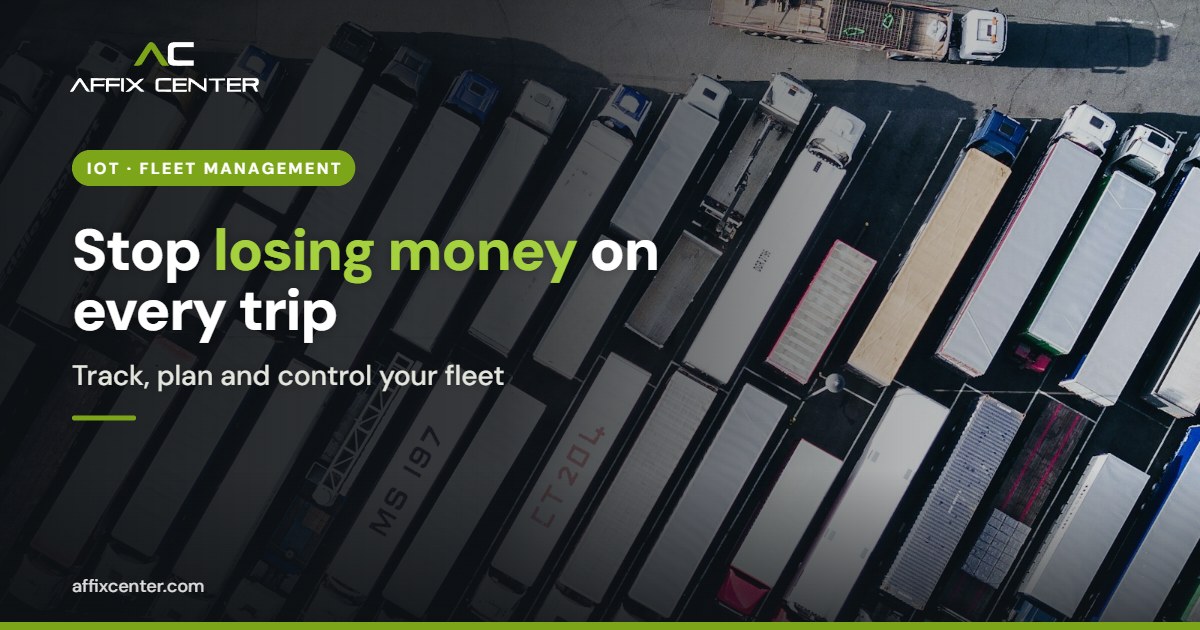
Quick answer: A fleet management system combines GPS trackers in each vehicle with software that shows live location, trips, fuel use, driver behaviour and maintenance due dates. To choose one, list your vehicles and problems, decide which data you need, check hardware and compliance needs, test the software with real trips, and plan integration and support.
The diesel bill goes up every month, but the kilometres on the trip sheet do not. A customer calls asking where the delivery is, and the only answer is "the driver is not picking up". A truck misses its service date, breaks down on the highway, and a full day of orders goes with it. Most fleet owners feel these losses long before they can measure them.
A fleet management system turns those guesses into data you can act on. This guide explains what such a system does, how the main options compare, the mistakes that waste money, and a step-by-step method to choose and roll one out for your vehicles, whether you run five delivery vans in Mumbai or a few hundred trucks across states.
What Is a Fleet Management System?
A fleet management system is a mix of hardware and software that helps you track, plan and control company vehicles. The hardware is usually a GPS tracking device fitted in each vehicle, sometimes with extra sensors. The software, on the web and on a mobile app, collects the data and turns it into maps, alerts and reports.
At the simplest level, it answers "where is my vehicle now?" A complete system goes further and helps you answer harder questions: Which routes waste fuel? Which drivers speed or brake harshly? Which vehicle is due for service? Did the truck stop somewhere it should not have?
Core features most businesses use
- Live tracking: the position, speed and status of every vehicle on one map.
- Trip history: the route taken, stops, idle time and distance for any day.
- Geofencing: alerts when a vehicle enters or leaves a site, depot or customer location.
- Fuel monitoring: fuel level sensors or fuel card data to spot unusual drops and compare actual use with expected use.
- Driver behaviour: overspeeding, harsh braking, harsh acceleration and long idling, with a score per driver.
- Maintenance planning: reminders by kilometres or engine hours for service, tyres, insurance and permits.
- Reports and alerts: daily summaries, exception alerts on SMS, email or app, and exports for accounts.
Why Fleets Lose Money Without One
Most of the cost in a fleet hides in small, repeated leaks. Each one has a clear fix once you can see the data.
- Unplanned routes: drivers choose routes by habit, not by distance or traffic. Fix: compare planned and actual routes and plan trips in the system.
- Idling and detours: engines left running at stops and personal detours add fuel and wear. Fix: idle-time and geofence alerts with a weekly review.
- Fuel pilferage: fuel drawn from tanks or billed but not filled. Fix: fuel sensors or fuel card matching, with alerts on sudden drops.
- Missed maintenance: service dates tracked on paper are easy to miss. Fix: automatic reminders by kilometres and dates.
- Poor customer updates: sales teams call drivers to ask for an arrival time. Fix: share live tracking links or ETAs with customers.
None of this needs a large investment to start. Even basic tracking and alerts show patterns within a few weeks.
Types of Fleet Management Systems Compared
Buyers usually choose between three approaches. The right one depends on your fleet size, how unique your operations are and what other software you already use.
| Option | Best for | Strengths | Watch out for |
|---|---|---|---|
| Off-the-shelf tracking app (SaaS) | Small fleets that mainly need location and alerts | Quick to start, low upfront cost, mobile app ready | Limited reports, data locked in the vendor platform, per-vehicle fees grow with the fleet |
| Full fleet management platform | Mid-size and large fleets with fuel, driver and maintenance needs | Wide feature set, sensor support, driver scoring | Paying for modules you never use, complex setup, training effort |
| Custom or integrated system | Businesses whose trips are tied to orders, ERP, billing or government workflows | Fits your process, links trips to invoices and orders, you own the data | Needs a clear scope, a reliable development partner and ongoing support |
Many companies start with a tracking app and later connect it to their ERP or build a custom dashboard on top of the tracking data through the vendor's API. Ask about API access before you sign, even if you do not need it yet.
Compliance and Hardware Points to Check in India
For some vehicles, tracking is not optional. Rules issued by the Ministry of Road Transport and Highways require AIS-140 compliant vehicle location tracking devices with emergency buttons in many public service and commercial vehicles, and state transport departments set how this is checked. Rules and timelines have changed over the years and vary by vehicle type, so confirm the current requirement for your vehicles with your RTO or transport consultant before you buy hardware.
Beyond compliance, check these hardware points:
- Device type: plug-in OBD trackers are easy to fit in cars and vans; hard-wired devices are harder to tamper with and suit trucks and buses.
- Connectivity: the SIM, network coverage on your routes and what happens to data when the signal drops. Good devices store data and send it later.
- Tamper alerts: alerts when the device is unplugged or loses power.
- Sensors: fuel level, temperature for cold chain, door open, or load sensors, only where they solve a real problem.
- Video: dashcams help with accident claims and driver coaching, but they add cost, data and privacy duties.
Driver location and video are personal data. Tell drivers what is tracked and why, limit access to the data, and set how long it is kept. India's Digital Personal Data Protection Act, 2023 applies to personal data handled in digital form, so check your notices and retention rules with your adviser.
How to Choose and Roll Out a Fleet Management System
This is the fix. Follow these steps in order and you avoid buying features you do not need or a tool your team will not use.
- List vehicles and problems: record every vehicle, its type, owner or vendor, routes and the top three problems you want to solve, such as fuel cost, late deliveries or missed service.
- Define the data you need: decide which reports and alerts each person needs, from the owner and transport manager to accounts and customers, and drop features nobody will use.
- Check compliance and hardware: confirm tracking rules for your vehicle types, then choose device types, sensors and SIM plans that cover your routes.
- Shortlist and test with real trips: run a pilot on five to ten vehicles for two to four weeks and compare the system's data with trip sheets and fuel bills.
- Plan integration: decide how trip data should reach your ERP, billing, payroll or order system, and confirm API access and data export in writing.
- Set rules and train people: agree alert thresholds, who responds to each alert, and how driver scores are used, then train managers and brief drivers.
- Review monthly and improve: track fuel per kilometre, on-time trips, idle hours and breakdowns each month, and adjust routes, rules and maintenance plans.
Questions to ask every vendor
- Who owns the tracking data, and can we export all of it at any time?
- What is the update interval, and does it change with the plan?
- What happens when a device fails, and how fast is replacement?
- Is there an API, and what does it cost?
- Where is the data hosted, and how is access controlled?
Connecting Fleet Data to the Rest of the Business
Tracking alone shows where vehicles are. The real value comes when trip data meets business data. A few common links:
- Orders and delivery proof: link each trip to orders, capture proof of delivery on the driver app and close the order automatically.
- Billing: bill customers on actual distance or trips where contracts allow it.
- Warehouse: plan dispatch with your warehouse management system so vehicles are not waiting at the dock.
- Assets beyond vehicles: the same IoT approach can track equipment, containers and trolleys, as explained in our guide to IoT asset tracking for warehouses and plants.
- Cold chain: temperature sensors in reefer vehicles feed the same alerts, covered in our post on IoT cold chain monitoring.
These links are usually built through APIs. If you plan to connect several systems, read our guide to API integration for ERP, CRM and payments first. When off-the-shelf tools do not fit, a custom software development company in Mumbai can build the dashboards, driver apps and integrations around the tracking data you already collect.
Common mistakes to avoid
- Buying on price per device alone: cheap devices with weak support cost more in downtime. Compare total cost over three years, including SIMs, replacements and software fees.
- Too many alerts: if managers get hundreds of alerts a day, they ignore all of them. Start with five or six that matter.
- Using scores to punish only: drivers resist tracking when it is used only for penalties. Use scores for coaching and rewards as well.
- No owner for the system: name one person who reviews reports and acts on them every week.
- Ignoring data access: check who can see live locations, especially for vehicles used by senior staff, and remove access when people leave.
Frequently Asked Questions
What is a fleet management system used for?
It is used to track company vehicles in real time, plan and review trips, control fuel use, monitor driver behaviour, schedule maintenance and share delivery updates. It turns daily vehicle activity into reports and alerts that managers can act on.
Is a GPS tracker the same as a fleet management system?
No. A GPS tracker is the device that sends location data. A fleet management system is the software and process that uses that data for planning, alerts, fuel control, maintenance and reports. Many systems support trackers from several makers.
How long does it take to set up?
Fitting devices takes a short time per vehicle, but a sensible rollout includes a pilot of two to four weeks, alert rules and training. Integration with ERP or billing adds time depending on the scope.
Can small fleets benefit from a fleet management system?
Yes. Even a business with five to ten vehicles can cut idle time, catch fuel problems and stop missed services. Small fleets usually start with a tracking app and basic alerts, then add more features later.
Do I need to inform drivers about tracking?
Yes, it is good practice and supports privacy compliance. Tell drivers what is tracked, why, who can see it and how long it is kept. Ask your adviser how the DPDP Act applies to your case.
How Affix Center Can Help
Affix Center helps businesses and government departments in Mumbai and Maharashtra plan and build connected systems around their operations. We can review your fleet needs, compare tracking options, and design the integration between tracking data and your ERP, billing or order systems. Where a ready product does not fit, we build custom dashboards and driver apps, and our innovation lab works on IoT pilots with sensors and alerts.
Want to stop guessing where your vehicles and money go? Talk to our team about a fleet management system that fits your operations.